This article is for bus operators and tourism-pass program offices. It compares validation in three types—transit IC, QR bus tickets, and show-screen tickets—plus operating-day and route constraints, rollout, fares and settlement, and links to tourism passes. Region-wide free-pass design is covered in Digital tourism passes | Linking sightseeing and transit (coming soon).
Bus ticket models | Tourism programs
Digital bus tickets are easier to scope when you split work into three layers.
Table scrolls horizontally
| Layer | Content | Example |
|---|---|---|
| Single route, single product | One operator, one route (or one loop): day pass or multi-ride | Digital day pass on a sightseeing loop bus |
| Cross-route within one operator | Multiple routes in one area sold by one operator or alliance | Network-wide day pass |
| Inside a tourism pass | Bus + rail + venues + coupons in one product | Free pass / MaaS ticket |
In tourism programs, visitors want a single-ticket story, but bus master data is maintained per route code, operating day, and timetable. When DMO-facing product design diverges from operator systems, valid-route lists and validation logs become hard to reconcile later.
Many teams start with a single-route digital bus ticket introduction, then expand to tourism passes. If multi-operator settlement is day one, vendor selection changes.
Transit IC, QR tickets, show-screen | Validation
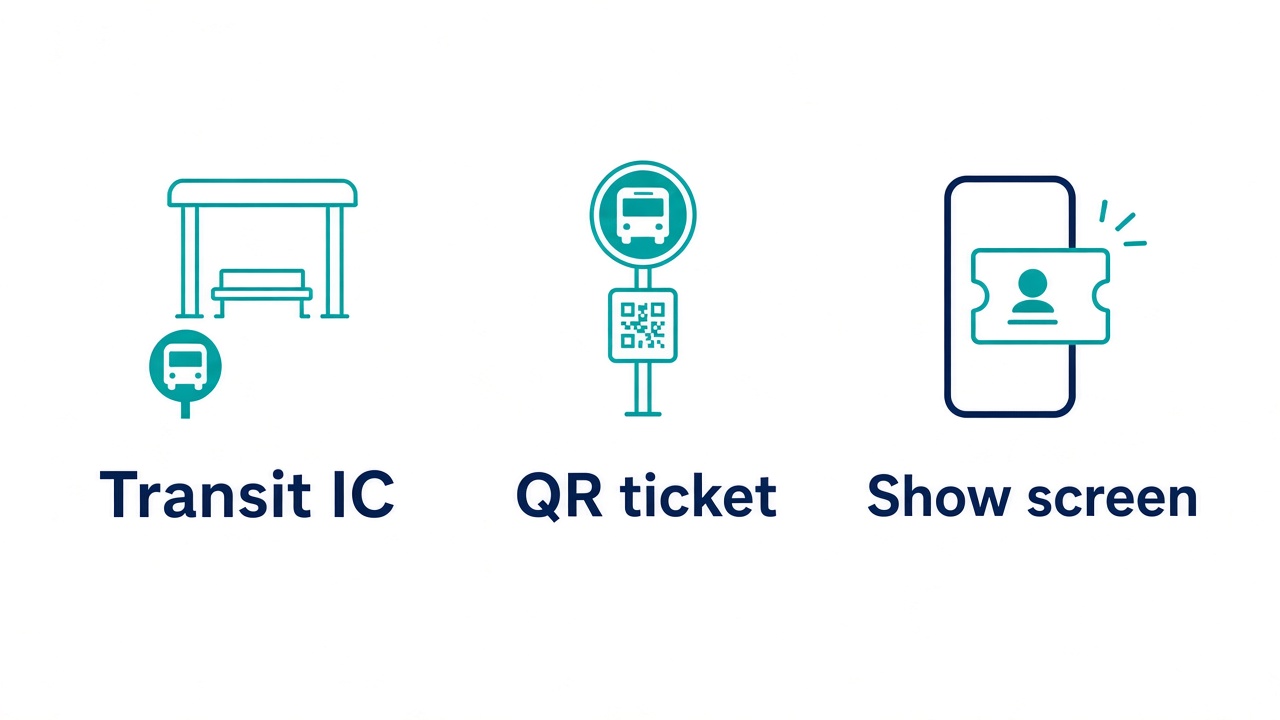
On buses without gates, compare the following three types. Do you need devices? Can you capture stop-level data (near OD logs)? What must crew check—use these three lenses.
Table scrolls horizontally
| Type | Devices | OD / logs | Crew | Typical fit |
|---|---|---|---|---|
| Transit IC | Farebox / IC reader required | Tap in/out gives stop pairs (IC users as base) | Alighting tap reminders; classic farebox ops | Distance fare, passes, daily routes |
| QR bus ticket | Camera reader required | Boarding and alighting scans improve stop logs | Assist on failed scans; visual → device migration | Prepaid day pass; multi-operator tourism pass |
| Show-screen ticket | Usually none (optional on-board reader) | Usage counts; weak per-stop unless you add devices | Visual check; crew load spikes when crowded | Seasonal tourism bus; flat-fare day pass |
Hardware aside, introduction (upfront) and maintenance (running) differ by type. Amounts vary by routes, fleet size, and contract shape—here we list cost categories to align before quotes.
Table scrolls horizontally
| Type | Typical upfront costs | Ongoing ops and maintenance |
|---|---|---|
| Transit IC | New or upgraded fareboxes and IC readers; settlement and fare-table setup | Device maintenance, fare revisions, guidance for non-IC riders |
| QR bus ticket | Board/alight readers, installation, wiring, sharing with payment terminals | Device faults, failed scans, offline fallback, software updates |
| Show-screen ticket | Sales channel (MaaS registration, web/wallet build, route cloud) | Timetable/route master sync, platform fees, peak crew staffing |
Transit IC extends existing fareboxes. QR bus tickets scan phone codes at the door; Miyakojima Free Pass–style flows use two scans (board and alight) to log rides and stops, often on payment readers.
Show-screen tickets mean riders show a purchased screen when boarding. You can start without devices, but crew visual checks bottleneck when crowded—we split into two patterns below.
Show-screen ticket — in existing MaaS / transit apps — sell day passes inside apps visitors already use (e.g. RYDE PASS, Jordan transit app); riders show the purchased screen. Niigata sightseeing loop and Shinki Bus tourism lines via RYDE PASS fit when the bus day pass is the main product. Purchase stays in-app; on-site is display/check (or QR readers later). Upfront cost is mainly route and product setup; onboard readers added later are extra (Shinki Bus moved from crew visual check to device scan after a QR pilot).
Show-screen ticket — dedicated tourism-bus sales site — the selling entity builds web plus wallet for that route/season (not a broad municipal voucher campaign site). Bus day passes aligned to operating days and seasonal timetables; add venues/coupons in one wallet or multi-operator settlement when needed. Niseko Sky Bus: buy on your site, show screen or NFC at stops. Route cloud (e.g. Locobus Ticket) is quoted separately when the bus operator is the seller.
When the seller is not the bus operator (DMO, tourism council, event office, contracted agency, etc.), dedicated tourism-bus site plus show-screen is common. Sales, refunds, and visitor support sit with the seller, but QR readers and fareboxes depend on operator vehicles and contracts—sellers often cannot mandate onboard devices alone. Split contracts: visual-check-only period, then conditions for adding devices; seller owns products and settlement on its site.
For digital bus ticket introduction, pick one primary type per route—often IC on distance lines, QR or show-screen on tourism day passes. Ask vendors to split quotes into upfront (devices/build), monthly (maintenance/platform), and day-of (crew/inquiries) for easier comparison. Contract offline fallback (paper exchange, crew lists) on weak-signal segments.
Bus operating units | Daily routes and ticket design
Bus operators run service as a set of operating day, route, and trip. Timetable changes, seasonal service, event shuttles, and substitutions require ticket validity and route lists to stay synced with master data. Fix the table below before quoting digital bus ticket introduction.
Table scrolls horizontally
| Operating unit | Decide | If misaligned |
|---|---|---|
| One route, one season | Season dates, non-operating days, day pass vs multi-ride | Tickets sold outside the season |
| Multiple routes, one operator | Route list for a shared day pass | Different validation on one route |
| Multiple operators | Operator codes in scan data; settlement cutoffs | Matching trips to operators inside a free pass |
Sightseeing loop buses often use flat fares and unlimited day rides; tap-to-pay with fare caps is common in pilots. Distance-based line service may limit introduction to tourism routes only.
Whether tickets stand alone, sit in a tourism pass, and who sells them changes vendor model.
Table scrolls horizontally
| Seller | Typical fit | Why IC/QR devices are hard to deploy |
|---|---|---|
| Bus operator (direct / own promo) | Transit IC, QR, MaaS in-app (RYDE PASS), Locobus-style cloud | Can update own vehicles and fareboxes |
| Non-operator (DMO, council, event office, etc.) | Dedicated tourism-bus sales site + show-screen (NFC to open screen if needed) | Other operators’ runs and settlement; onboard devices need operator contracts |
Table scrolls horizontally
| Type | Good fit | When products and settlement grow |
|---|---|---|
| In MaaS / transit apps (RYDE PASS, mobile transit tickets, etc.) | Operator-participating apps with bus day passes added | Venue bundles and multi-operator settlement depend on app limits |
| Dedicated tourism-bus sales site | Non-operator seller, or web and wallet for route/season | Design operator settlement and added products together |
In-app strength: operator route registration and purchase inside apps visitors already use. Dedicated site strength: sales desk when seller is not the operator, one wallet for bus + venues and multi-operator settlement, products aligned to route/season. More products does not auto-switch type—compare who contracts devices. Wide free-pass designs: adding single-route tickets later tends to duplicate masters—share that before quoting.
Cloud bus-ticket products (e.g. Locobus-style packages) bundle routes, fares, and reports per operator. Confirm timetable-system integration on quotes.
Digital bus ticket introduction | Pilot to production
These five steps align field teams and program offices when introducing digital bus tickets on a route.
- 1. Scope routes and products — day pass, multi-ride, or promo first; paper parallel period
- 2. Pick validation — transit IC, QR ticket, or show-screen (in-app vs dedicated sales site)
- 3. Master data — who updates operating days, route codes, and fares, and when
- 4. Pilot — staff or invite-only purchase; validation rehearsal at busy stops
- 5. Go-live — end paper day passes; single inquiry channel
During pilots, match stop signage and on-board announcements with purchase URLs and screen copy. Fix languages on tickets and signs at step 2 for tourism visitors.
Fares and settlement | Multiple operators
Digital bus ticket revenue splits by channel (app, web, counter) and by operator settlement unit.
| Topic | Confirm |
|---|---|
| Fee burden | Who pays payment and platform fees — riders, operators, or DMO |
| Settlement grain | CSV by route, operator, or day |
| Unused tickets | Expiry; weather cancel refunds or exchanges |
| Audit | Log fields for grants or pilot reporting |
A single-operator loop bus often fits one CSV. Multi-operator free passes need allocation rules in contracts before introduction.
Link to tourism passes | Free and bundle tickets
After standalone digital bus tickets stabilize, many programs add tourism passes (rail, venues, coupons). Connection points:
- Source of truth — if only the day bus ticket is digital first, can the same QR carry into a free pass?
- Display — one tourism pass for visitors; multiple operator tickets behind the scenes
- Validation — separate devices or app screens per operator
Free-pass sales channels and wallet design are in Digital tourism passes | Linking sightseeing and transit (coming soon). Fixed bus methods and operating units copy cleanly into that brief.
See features and rollout examples on the service site.
FAQ
Q1. Can we introduce digital bus tickets without IC gates?
Yes—transit IC (farebox), QR tickets (reader), or show-screen tickets. Tourism day passes combine in-app sales (RYDE PASS), dedicated sites, and QR readers by route—mix depends on crowds, logs, and who sells.
Q5. Show-screen tickets
In-app vs dedicated bus sales site? — In-app (RYDE PASS, mobile transit tickets): operator-participating bus day passes sold inside existing apps. Dedicated tourism-bus site: seller holds the sales desk (e.g. DMO), bus + venues and multi-operator settlement in one wallet. When sellers cannot contract onboard devices, show-screen plus dedicated site is common. Need per-stop logs? Make IC or QR primary with operator-led device rollout.
Q2. How long keep paper day passes?
Set the parallel end date from pilot inquiry volume and scan speed. Routes with older riders may keep counter or store pickup longer.
Q3. Cloud bus ticket vs DMO tourism-pass site?
Operator-led sales: route cloud (e.g. Locobus Ticket) or in-app (RYDE PASS). DMO-branded bus + venues in one wallet → dedicated tourism-bus sales site. Align operating-unit tables before adding vendor types.
Q4. Event-only temporary bus routes?
Register operating days and route codes; align ticket validity. Decide separate QR for shuttles vs inclusion in the day pass early.
Q6. Introduction and maintenance cost by type?
Transit IC: heavy upfront on devices and settlement; running costs are clearer on daily routes. QR: upfront scales with readers × vehicles; maintenance and connectivity continue. Show-screen: upfront is mostly sales build; peak crew and route-master updates often dominate running cost. Compare quotes split into upfront, monthly, and day-of ops.
Summary
Digital bus ticket introduction works best when you fix operating day and route, choose transit IC, QR bus ticket, or show-screen ticket as primary, then pilot. Compare upfront, maintenance, and day-of ops alongside devices, logs, and crew to avoid paying twice when adding QR later. For show-screen sales channels, list in-app (RYDE PASS) vs dedicated tourism-bus site side by side—compare features in parallel and match seller and device contracts to your case.
Related reading
- Tourism pass digitalization | Linking tourism and transit — Extending bus + venues; purchase-surface models
Related service
SmartPlate Ticket
Dedicated tourism-bus sales site options include SmartPlate Ticket when bundling seasonal tourism bus or bus + venues/coupons in one purchase URL and wallet for tourism passes. Pre-purchase then show screen (or NFC) matches Niseko Sky Bus. In-app (RYDE PASS, etc.) vs dedicated sales site differ in sales desk, settlement, and device contracts—compare on your requirements table. See the service site and case pages.