
After you place printed QR codes in-store, updates and numbers per POP mean “download one PNG” is not always enough. This article covers how to create store QR codes for the counter (POP, menus, print) and how to choose tools including post-install operations. For tool comparisons, see “Comparing store QR tools | Free generators, landing pages, and all-in-one options (coming soon)”; for Wi‑Fi design, see “Store Wi‑Fi QR codes | Password sharing and service (coming soon).”
Three decisions before you create store QR codes
When you create in-store QR codes, start with these three points.
- Placement — Entrance POP / beside the register / table-top / before restrooms (print size depends on viewing distance)
- Action after scan — Booking, menu, map, Wi‑Fi—aim for one QR, one purpose
- Update frequency — Seasonal menus, campaign URLs—replace the QR sticker or change only what it links to
If you have a single URL and content stays mostly fixed, QR no Susume (quel.jp) or Benri.dev and similar free QR generators to get a PNG and place it on a POP in Canva is enough for many stores (check each site’s terms for commercial use). If you want to bundle menu, booking, and SNS on one sign or split metrics between entrance and table-top, generation alone often means updates and analytics live in separate tools.
QR for counter POP and beside the register (basic flow)
At restaurants, the counter and at retail, the area beside the register work best with “short copy + QR + store name.”
Example steps (mostly free tools)
- Choose the destination URL (website, booking page, Google Business Profile, etc.)
- Enter the URL on a free QR site and download PNG (confirm commercial use on each site’s terms)
- Place the QR in Canva or print artwork and ensure contrast (e.g. black QR on white)
- Before posting in-store, test on real phones from two to three arm’s lengths away
If the URL is single and you rarely change the link, you can stop here. Put the QR on an A4 POP in Canva, print, and place it—done.
Peraichi or Canva Sites let you build a polished info page first, then QR that URL. That helps design-focused stores, but each link change may require re-downloading the QR image. To see which QR drove traffic in Google Analytics (GA4), you also need UTM parameters on each URL. Changing only the link about once a month with free tools can still take about 15–30 minutes per round for some stores.
How to create menu QR codes
Menu QR codes are often confused with link-in-bio tools (Linktree / lit.link). Fix the goal as “in-store guests view the menu” and design gets simpler. The same idea applies to salon service and price lists, not just restaurant menus.
Fastest path (PDF menu · mostly free)
- Prepare a menu PDF (export from Canva or existing files)
- Share the PDF via Google Drive or similar and get a browser-openable URL
- QR that URL on a free site and download PNG
- For table-top POP, size the QR at at least 25 mm (close-range reading) before printing
Common setups (by ease of updates)
- PDF menu — lower print cost; swap PDFs each season (keep the QR if the URL stays)
- Photo menu page — update allergens and sets on the page
- Multilingual — Japanese/English toggle for tourists (updates on the page)
You can start with free tools (Canva PDF link + free QR). But if table-top and entrance QRs share one URL, you cannot tell which was scanned. KuruKuru Manager-style QR analytics SaaS can aggregate by short URL, but editing menu content may still be a separate service.
If menu changes happen twice a month or more and you want separate paths for entrance, table-top, and takeout waiting area, consider managing info pages and QRs in one admin console (next section: updates and per-touchpoint metrics). See also “Managing multiple QR codes | POP, table-top, and flyers (coming soon).”
Print resolution and formats for store QR codes
Counter QR codes can fail if too small or look pixelated if over-scaled. Typical print specs:
| Item | Guideline | Notes |
|---|---|---|
| Resolution | 300 dpi or higher for submission | Do not blow up a phone-sized PNG to A3 |
| Format | Submit as PDF / AI / high-res PNG | Match the printer’s spec |
| Physical QR size | At least 25 mm (close range) / 40 mm or more (~1 m distance) | Adjust for distance |
| Quiet zone (margin) | Keep enough white margin around the QR (about four modules) | Do not overlay logos or patterns on the QR |
| Color | White background + black QR is safest | Inverted or pale colors cause scan failures |
For print details, see Irie Design’s article. In-store, never stretch a web-sized QR to sign size, and check whether gloss lamination causes glare on real devices.
After artwork, run a color proof or in-store mock-up and test with at least one iPhone and one Android.
After printing: updates and per-touchpoint metrics
People searching for how to make counter QR codes often care about “after it’s posted” operations. Remaking QR PNGs and reprinting POPs every campaign URL change can cost small stores about one to two hours per month (varies by frequency and staff).
Touchpoints are where guests scan—entrance POP, table-top, flyers, signage. Per-touchpoint metrics means separate QRs (or short URLs) per placement to see where scans come from. With GA4 alone, each QR needs distinct UTM parameters; mistakes make all traffic look like one path. QR TOOL PRO and KuruKuru Manager excel at analytics, but editing store info pages may still be another tool.
To update content without replacing the QR:
- The scan target is a fixed URL (redirect or info page)
- You can swap links, text, and PDFs in the admin console
- The QR image stays—no reprint
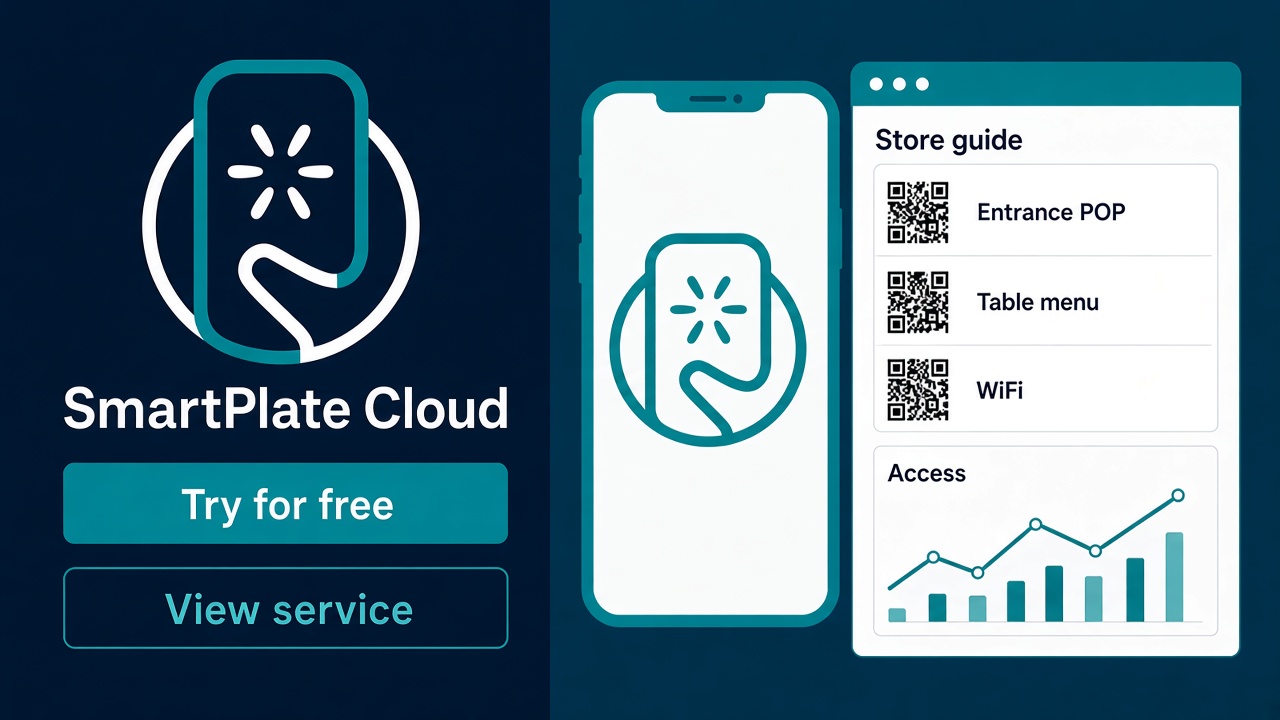
SmartPlate Cloud combines info page editing, print-ready QR download, and per-touchpoint dashboards in one screen. The trial plan includes up to 10 managed NFC · QR codes (e.g. five trial QRs on signup—confirm current limits on the signup page). That is often enough to test multiple placements at one location; upgrade when you hit the cap. Paid pricing is on the SmartPlate Cloud product page pricing table.
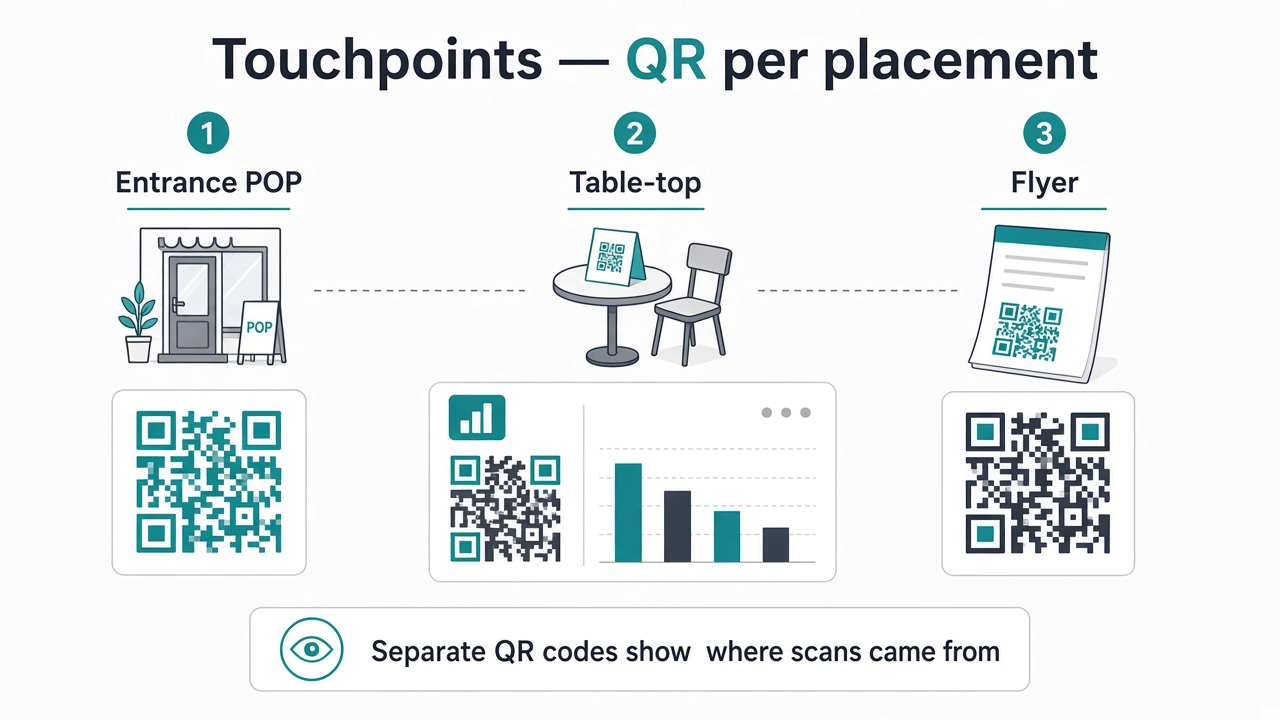
For analytics depth, see “QR access analytics | Measuring by touchpoint (coming soon)”; for free vs paid, see “Free QR vs paid tools | Post-print update cost (coming soon).”
Free generators, info pages, all-in-one — fit and limits
| Compare | Free QR generator | No-code LP (e.g. Peraichi / Canva) | Info + QR + touchpoint metrics (e.g. SmartPlate Cloud) |
|---|---|---|---|
| Good fit | One URL · rare updates · fastest single sign | Design-first · some SEO · self-serve updates | Multiple POPs · Menu/Wi‑Fi/booking on one page · Numbers by placement |
| Weak spots | Metrics · many QRs · bulk content updates | Re-download QR · UTM design · per-touchpoint logs | Monthly fee · design freedom · brand awareness |
| Update model | URL change = new QR | Page editable · confirm QR swap | QR stays · content-only updates (same URL design) |
Free is not always worse. One SNS profile may only need link-in-bio. A single counter POP is fastest with a free generator. If you want to change content after printing · compare placements, consider all-in-one or analytics SaaS plus LP.
Next decision — free enough or consider all-in-one?
- You plan two or more QR types in-store
- Menu or campaigns updated at least monthly
- Entrance vs table-top comparison
- Reprint costs (paper · lamination · labor) reviewed at least yearly
- If none apply → start with free QR + Canva
If two or more apply, try info pages and per-touchpoint QRs via free signup (trial plan) (confirm no credit card on the signup page). Tool selection: “Comparing store QR tools (coming soon).”
See landing pages, in-store QR, and analytics on the SmartPlate Cloud service site.
FAQ
Q. Can I create store QR codes on a phone only?
If the URL is set, free sites can deliver a PNG on phone alone. For A4 or larger POP, layout on a PC balances copy and QR size more easily.
Q. Should menu QR and Wi‑Fi QR be separate?
We recommend separating them. Wi‑Fi setup is long; combining with menu increases drop-off. See “Store Wi‑Fi QR codes (coming soon).”
Q. Can I use NFC tags in-store too?
Some tools support QR and NFC under same URL · same admin console (tags sourced separately). Tap + QR on entrance POP is common. See “What is SmartPlate Cloud? (coming soon).”
Q. What can I try on the free plan?
SmartPlate Cloud trial includes creating/editing info pages, QR download, and basic analytics. Managed NFC · QR limit: 10 and other caps apply. See signup page and product page FAQ.
Summary — counter QR wins after posting, not only at creation
Store QR at the counter ties together POP, menu QR, and print resolution, then update frequency and metrics by placement pick your tools. One fixed URL POP often needs only free generation and Canva.
If you place codes in many spots and keep changing content, decide before printing whether you can update info without replacing QR and measure entrance vs table-top separately.
Create a free account (SmartPlate Cloud)
Related service
SmartPlate Cloud — counter QR · info · per-touchpoint metrics
Edit info pages, print-ready QR, and numbers by placement in one admin console—start with the trial plan.